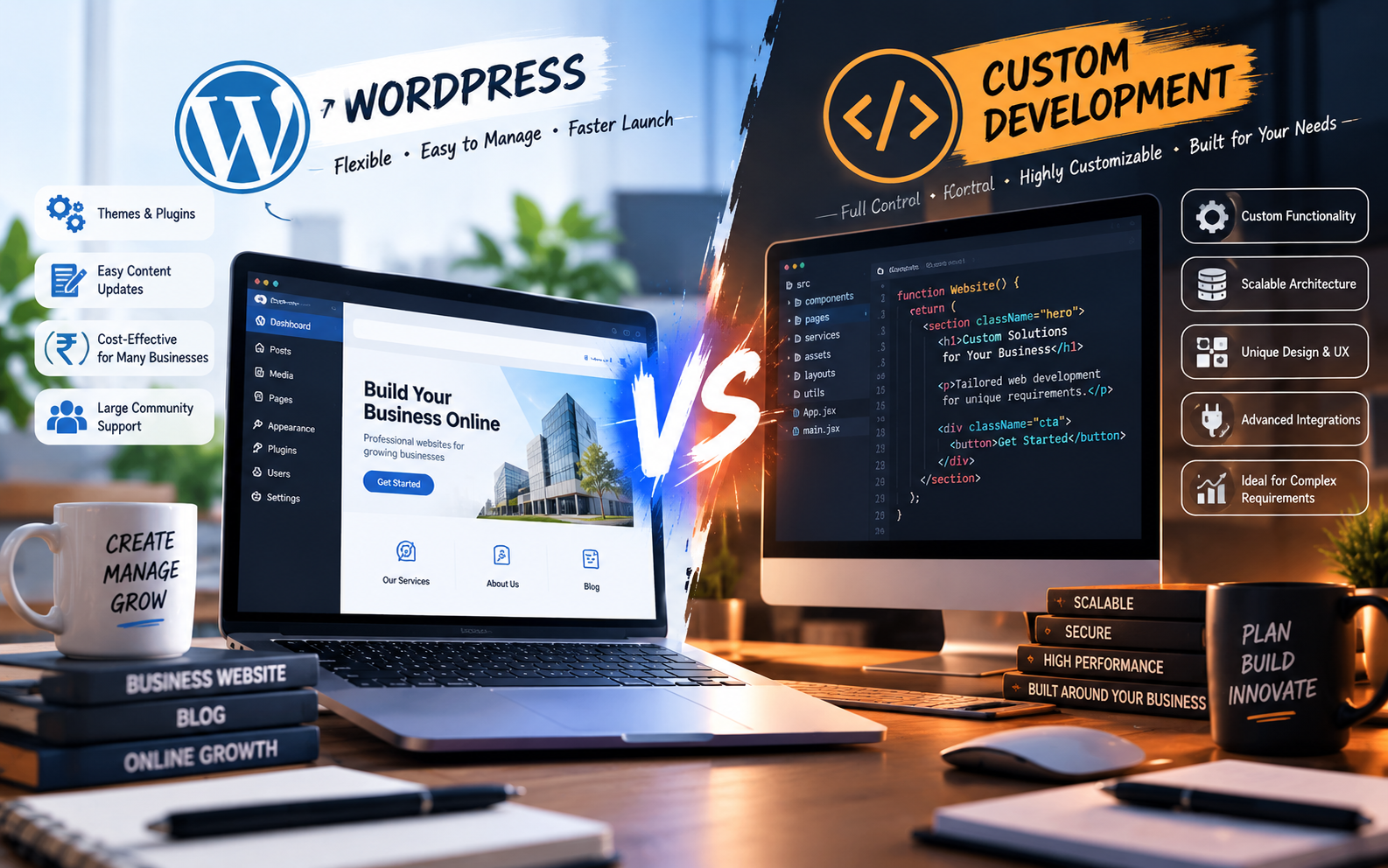
Choosing how to build your website is one of the first major decisions you’ll make when creating a digital presence for your business.
Two options appear again and again:
WordPress and custom website development.
WordPress offers a mature content management system, a large ecosystem of themes and plugins, and an easy-to-use dashboard. Custom development gives you greater control over the website’s architecture, functionality, design, integrations, and future development.
Neither option is automatically right for every business.
The better choice depends on what your website needs to accomplish, how much customization you require, who will manage it, and how you expect the business to grow.
In this guide, we’ll compare WordPress and custom website development across the factors that matter most to businesses.
What Is WordPress Website Development?
WordPress is an open-source content management system that allows businesses to create and manage websites through an administrative dashboard.
A WordPress website can use themes for its visual design and plugins or custom development for additional functionality.
WordPress is commonly used for:
- Business websites
- Service websites
- Blogs
- Portfolio websites
- News websites
- Landing pages
- Membership websites
- Small and medium-sized online stores
- Content-driven websites
One of its biggest advantages is that routine content changes can often be made without directly editing the website’s code.
WordPress has also developed into a large ecosystem of themes, plugins, developers, hosting providers, and tools.
What Is Custom Website Development?
Custom website development means building the website specifically around the requirements of a business instead of relying primarily on a general-purpose CMS and pre-built plugins.
A custom website may use technologies such as:
- HTML, CSS and JavaScript
- React
- Next.js
- Laravel
- Node.js
- PHP
- Custom databases
- APIs
- Headless CMS platforms
The exact technology depends on the project’s requirements.
Custom development is particularly useful when a website needs functionality that doesn’t fit comfortably into standard CMS workflows.
Examples include:
- Customer dashboards
- Complex booking systems
- Custom calculators
- Business portals
- ERP or CRM integrations
- Marketplace functionality
- Advanced user roles
- Custom workflows
- Real-time applications
- SaaS products
- Highly customized e-commerce systems
WordPress vs Custom Website: Quick Comparison
| Factor | WordPress | Custom Website |
|---|---|---|
| Initial development | Usually faster | Usually longer |
| Upfront cost | Generally lower for standard websites | Generally higher |
| Content management | Easy for non-technical users | Depends on the admin system |
| Design flexibility | High | Very high |
| Custom functionality | Possible, often through plugins/custom code | Full control |
| Plugin dependency | Can be significant | Usually lower |
| Performance control | Good when properly optimized | Greater architectural control |
| Security management | Requires plugin/theme/core maintenance | Depends on architecture and implementation |
| Integrations | Many ready-made options | Can be built specifically |
| Scalability | Good for many business sites | Strong for complex systems |
| Maintenance | Updates and plugin management required | Developer/technical maintenance usually required |
| Best suited for | Content and standard business requirements | Complex or highly customized requirements |
The comparison isn’t about declaring one technology universally better. It is about matching the technology to the business requirement.
Cost: WordPress vs Custom Website Development
Cost is often the first thing business owners consider.
A standard WordPress website can generally be developed more quickly because many components already exist.
Custom development requires more engineering work because functionality, architecture, database structures, administrative systems, and integrations may need to be built specifically for the project.
Current Indian web-development articles show wide variation in quoted prices for both options, which is why a fixed “WordPress costs X and custom costs Y” rule can be misleading. Scope, design, integrations, number of pages, functionality, hosting, maintenance, and developer/team experience all affect the final price.
The important question isn’t simply:
“Which one is cheaper?”
Instead ask:
“Which option gives my business the functionality I need without creating unnecessary complexity?”
Development Time
WordPress can often be launched faster for standard business requirements because the CMS, administration system, themes and plugins already exist.
A custom website usually requires more development time because the team may need to build:
- Frontend interfaces
- Backend functionality
- Database structures
- Admin panels
- Authentication
- APIs
- Integrations
- Custom workflows
- Testing systems
However, the exact timeline depends heavily on project scope.
A five-page company website and a custom customer portal should not be compared using the same development timeline.
Ease of Content Management
This is one area where WordPress has a major practical advantage for many content-driven businesses.
A WordPress administrator can typically log into the dashboard and update:
- Pages
- Blog posts
- Images
- Menus
- Categories
- Basic website content
A custom website can provide the same capability, but the development team needs to build or integrate the content management system.
Therefore, if your marketing team frequently publishes articles, changes service information, uploads images, and manages website content, the editing workflow should be considered before choosing the technology.
Design Flexibility
Both WordPress and custom development can produce professional designs.
The difference is how the design is implemented.
WordPress can use:
- Custom themes
- Page builders
- Block editors
- Custom CSS
- Custom JavaScript
- Custom theme development
Custom development gives the development team direct control over the interface and frontend architecture.
That can be particularly useful when a website requires a highly specific user experience rather than a conventional business-site structure.
So the question isn’t:
“Can WordPress make a beautiful website?”
It can.
The better question is:
“How much control does the project require over the design and functionality?”
SEO: Is WordPress Better for SEO?
WordPress is not automatically better for SEO.
Likewise, a custom-coded website is not automatically better for SEO.
SEO depends on how the website is built and maintained.
Important factors include:
- Website structure
- Crawlability
- Page speed
- Mobile usability
- Content quality
- Internal linking
- URL structure
- Metadata
- Structured data
- Image optimization
- Technical implementation
- Search intent
- Website authority
A properly developed WordPress website can be SEO-friendly.
A properly developed custom website can also be SEO-friendly.
The technology itself should not be treated as a substitute for good SEO implementation.
This is also why SEO should be considered during website development rather than added only after launch.
For more information, see our guide on why SEO should start during website development.
Performance and Website Speed
Performance depends on many factors.
With WordPress, performance can be influenced by:
- Hosting
- Theme quality
- Plugin selection
- Images
- JavaScript
- Caching
- Database optimization
- Third-party scripts
- Configuration
A poorly configured WordPress website can become unnecessarily heavy.
A well-built WordPress website can also perform very well.
Custom development provides greater control over the architecture, but that doesn’t automatically mean the website will be fast. Poorly written custom code, inefficient queries, oversized assets, or unnecessary scripts can also create performance problems.
The goal should therefore be:
Build the architecture appropriate for the project’s performance requirements.
Security
Security needs to be considered with both approaches.
WordPress websites require ongoing attention to:
- WordPress core updates
- Theme updates
- Plugin updates
- Strong passwords
- User permissions
- Backups
- Hosting security
- Malware monitoring
- Security configuration
Custom websites have different security responsibilities.
They may require attention to:
- Authentication
- Authorization
- API security
- Database security
- Server configuration
- Dependency updates
- Input validation
- Access control
- Application vulnerabilities
Custom development doesn’t automatically mean “secure,” just as WordPress doesn’t automatically mean “insecure.”
Security depends heavily on implementation and maintenance.
Plugins vs Custom Features
One of the biggest differences between the two approaches is how functionality is added.
WordPress has a large plugin ecosystem.
For example, a business may use plugins for:
- Forms
- SEO
- Analytics
- E-commerce
- Booking
- Membership
- Security
- Caching
This can significantly reduce development time.
However, adding too many plugins or poorly maintained plugins can introduce maintenance, compatibility, performance, and security considerations.
Custom development takes the opposite approach.
Instead of finding a plugin that approximately matches the requirement, the development team can build the functionality specifically around the business process.
Scalability
Scalability doesn’t simply mean:
“How many visitors can the website handle?”
It can also mean:
- How many features can be added?
- How complex can the workflows become?
- How many users need different permissions?
- How many external systems need integration?
- How much custom business logic is required?
- How easy is it to modify the architecture later?
WordPress can support many growing businesses.
However, when a website starts behaving more like a software product—with dashboards, complex workflows, marketplace functionality, advanced integrations, or highly customized processes—a custom architecture may become more appropriate.
When WordPress Is a Good Choice
WordPress can be a strong fit when you need:
- A company website
- A service website
- A portfolio
- A blog
- A content-focused website
- A lead-generation website
- A standard business website
- A relatively straightforward online store
- A website that your team needs to update regularly
If the requirements fit established WordPress functionality, there may be little reason to build every component from scratch.
When Custom Development Makes More Sense
Custom development becomes more relevant when you need:
- Complex business logic
- Custom dashboards
- User accounts and roles
- Advanced integrations
- Custom APIs
- Real-time functionality
- Large-scale marketplaces
- SaaS functionality
- Complex internal workflows
- Specialized databases
- Highly customized e-commerce
- A website that is effectively becoming a software product
In these situations, forcing everything into a standard CMS can create unnecessary complexity.
Can You Use Both?
Yes.
A business doesn’t necessarily have to choose one technology for everything.
For example:
Main website
WordPress
Customer application
Custom development
Application URL
app.example.com
This hybrid approach can allow a business to use WordPress where content management is important while using custom technology for more complex product functionality.
This can be particularly useful for businesses that have both a marketing website and a software product.
WordPress vs Custom Website: What Should You Choose?
Instead of choosing based on what a developer prefers, start with your requirements.
Ask these questions:
1. Who will update the website?
If your marketing team needs to make frequent content changes, an easy CMS can be valuable.
2. How complex is the functionality?
If the website mainly presents information and collects leads, you may not need a complex custom architecture.
3. Do you need custom workflows?
If your business has unique processes, custom development may provide more flexibility.
4. Do you need integrations?
Consider CRM, ERP, payment, inventory, booking, APIs and other external systems.
5. How important is speed?
Both approaches can be optimized, but the architecture should be designed around your actual performance requirements.
6. How will the website grow?
Think beyond the first version.
A website that is simple today may become a customer portal, marketplace, or software product later.
A Simple Decision Framework
You can use this basic framework:
Choose WordPress if:
- Your website is primarily content-driven
- You need a business or service website
- You want easy content management
- Your requirements are covered by established functionality
- You want to launch relatively quickly
- You don’t need highly specialized workflows
Consider Custom Development if:
- Your website is becoming a software product
- You need unique business logic
- You require complex integrations
- You need custom dashboards or workflows
- Standard plugins cannot reasonably solve your requirements
- You need deep control over the application’s architecture
Consider a Hybrid Approach if:
- Your marketing website is content-heavy
- Your application requires custom functionality
- You want a CMS for marketing content
- You want a separate application for users or internal operations
Common Mistakes When Choosing Between WordPress and Custom Development
Choosing technology before defining requirements
Don’t begin with:
“I want WordPress.”
or:
“I want React.”
Begin with:
“What does my business need the website to do?”
Choosing custom development simply because it sounds more advanced
Custom development can provide more control, but more technology isn’t automatically more value.
If a standard WordPress website solves the actual business problem, unnecessary complexity can increase cost and maintenance.
Choosing WordPress for a complex software product
The opposite mistake also happens.
If your requirements involve complex workflows, dashboards, real-time systems, or specialized application logic, trying to force everything into a conventional CMS can create technical limitations.
Comparing only the initial price
The cheapest initial quote isn’t necessarily the cheapest solution over several years.
Consider:
- Development
- Hosting
- Plugins
- Licenses
- Maintenance
- Security
- Updates
- Future features
- Developer dependency
Think about total cost of ownership, not only the initial development invoice.
Frequently Asked Questions
Is WordPress better than custom website development?
Neither is universally better. WordPress can be well suited to content-driven and standard business websites, while custom development can be more appropriate for complex functionality, integrations and software-like products.
Is a custom website better for SEO?
Not automatically. SEO depends on technical implementation, content, website architecture, performance, crawlability, mobile usability and many other factors.
Is WordPress cheaper than custom development?
For many standard websites, WordPress can reduce development effort because the CMS and ecosystem already exist. Custom development generally requires more engineering work, but the actual cost depends on project scope and functionality.
Can a WordPress website be customized?
Yes. WordPress websites can be customized through themes, plugins, custom CSS, JavaScript, PHP development and custom integrations.
Can a custom website have an admin panel?
Yes. A custom website can include a purpose-built administrative dashboard for managing content, users, products, orders, bookings or other business data.
Can WordPress handle e-commerce?
Yes. WordPress can be extended with e-commerce platforms such as WooCommerce. Whether it is appropriate depends on the store’s requirements, product volume, integrations, performance requirements and business processes.
Can I migrate from WordPress to custom development later?
Yes. A business can migrate to another architecture when its requirements change. However, the migration should be planned carefully because URLs, content, databases, integrations and SEO signals may need to be handled during the transition.
Conclusion
WordPress and custom website development solve different types of problems.
WordPress can be an efficient foundation for businesses that need a professional website, regular content management and established functionality.
Custom development becomes more valuable when a business requires specialized workflows, complex integrations, application-like functionality or greater architectural control.
The right question isn’t:
“Which technology is better?”
It is:
“Which technology is appropriate for what my business needs today—and where it is going next?”
At Banex Digital, website development should start with that question.
The goal isn’t simply to build a website.
It’s to build the right digital foundation for the business.