A website may look great and have all the right information, but if it takes too long to load, visitors may leave before they even see the content.
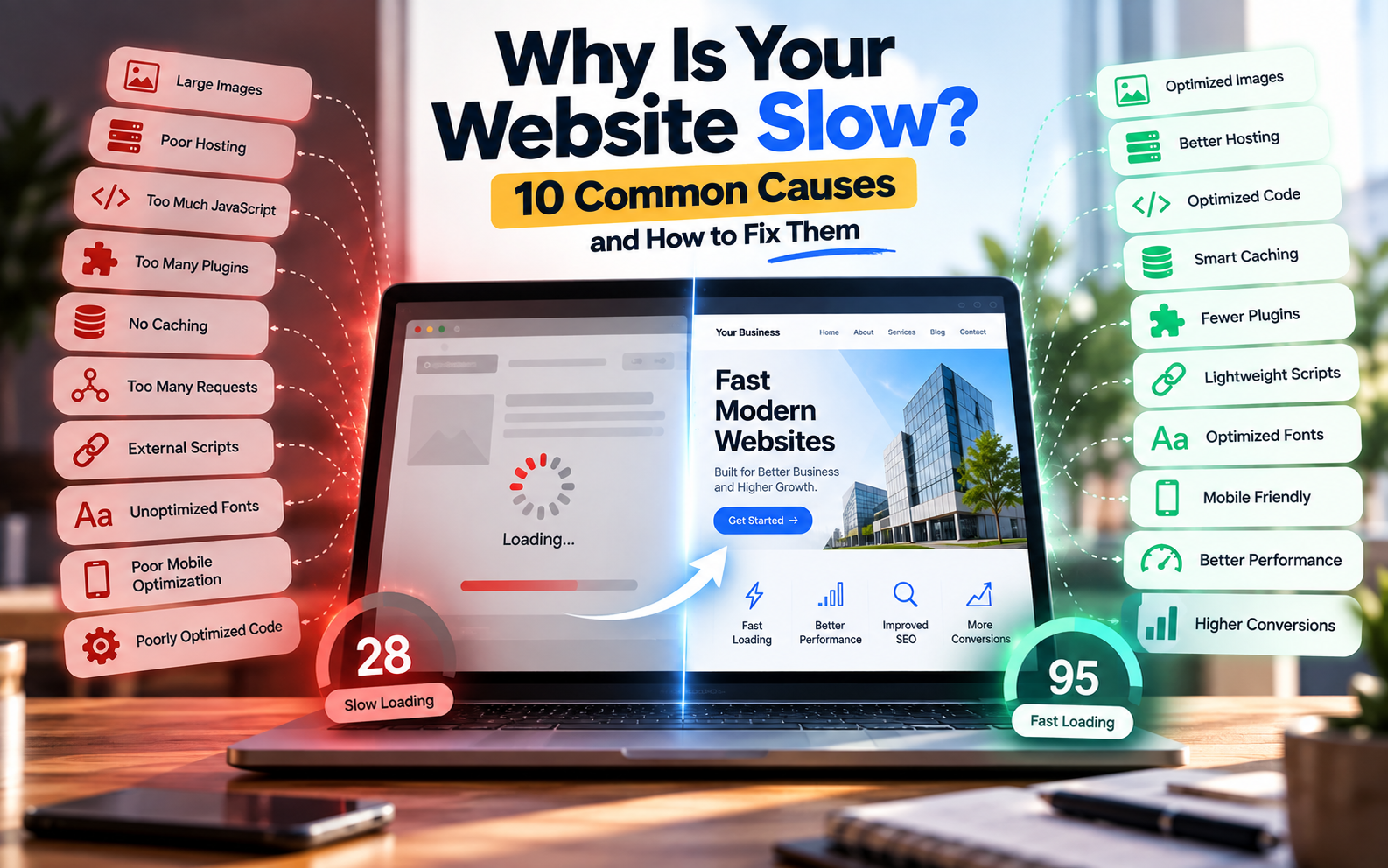
Website speed is influenced by many factors, including images, hosting, code, JavaScript, plugins, fonts, third-party services, caching and mobile optimization.
Google also considers page experience and Core Web Vitals as part of its broader search systems. However, Google makes clear that good Core Web Vitals alone do not guarantee high search rankings.
So if you’re wondering “Why is my website slow?”, the answer is usually not just one thing.
Let’s look at the most common causes and how to fix them.
1. Large and Unoptimized Images
One of the most common reasons for a slow website is oversized image files.
For example, uploading a 4–8 MB photograph directly from a camera or phone can significantly increase the amount of data a visitor has to download.
This becomes even more important on mobile networks.
How to fix it
Before uploading images:
- Resize images to the dimensions actually required.
- Compress images before uploading.
- Use modern formats such as WebP or AVIF where appropriate.
- Avoid uploading unnecessarily high-resolution images.
- Use responsive image sizes for different devices.
- Lazy-load images that aren’t immediately visible.
You should pay particular attention to large hero images because they can have a significant effect on the initial loading experience.
2. Poor Web Hosting
Your website can be properly coded and still feel slow if the hosting environment is inadequate.
Hosting affects factors such as server response time, available resources, storage performance and how efficiently requests are handled.
This can become particularly noticeable when:
- Traffic increases
- Multiple websites share limited resources
- The server is located far from important users
- The website uses resource-heavy applications
- The hosting plan has insufficient resources
How to fix it
Review your hosting before immediately changing your website code.
Depending on your requirements, improvements may include:
- Moving to better hosting
- Using a CDN
- Improving server configuration
- Enabling server-side caching
- Optimizing database queries
- Reducing unnecessary server requests
For a small business website, you don’t necessarily need expensive infrastructure. The important thing is matching the hosting environment to the website’s actual requirements.
3. Too Much JavaScript
JavaScript allows websites to provide animations, interactive elements, calculators, dashboards and other advanced functionality.
But excessive JavaScript can also make a website slower and less responsive.
Large JavaScript bundles can take time to download, parse and execute—particularly on mobile devices.
This can affect how quickly users can interact with a page.
How to fix it
Developers can:
- Remove unnecessary JavaScript.
- Minify JavaScript files.
- Defer non-critical scripts.
- Load scripts only where they are required.
- Reduce third-party scripts.
- Split large JavaScript bundles where appropriate.
- Avoid unnecessary animations and effects.
The goal isn’t to eliminate JavaScript.
The goal is to use JavaScript where it provides real value.
4. Too Many Plugins
This is particularly common with WordPress websites.
Plugins can add useful functionality without requiring custom development. However, installing a large number of unnecessary plugins can increase the amount of code, database activity and scripts running on your website.
Two plugins may also provide overlapping functionality.
How to fix it
Regularly review your plugins.
Ask:
- Do I actually need this plugin?
- Is another plugin already providing the same feature?
- Is the plugin maintained?
- Does it add unnecessary scripts?
- Can the feature be implemented more efficiently?
Remove plugins that are no longer required.
For WordPress websites, fewer well-maintained plugins can be preferable to installing a plugin for every small feature.
5. No Caching
Without caching, a website may repeatedly perform work that doesn’t need to be repeated for every visitor.
Caching can store commonly requested resources or generated content so that subsequent requests can be handled more efficiently.
Common types of caching include
- Browser caching
- Page caching
- Server-side caching
- Object caching
- CDN caching
How to fix it
Depending on your technology stack, implement appropriate caching at the browser, server, application or CDN level.
For WordPress, caching plugins and hosting-level caching can help, but configuration should be tested rather than blindly enabling every available option.
6. Too Many HTTP Requests
Every page may need to request multiple resources, including:
- CSS files
- JavaScript files
- Images
- Fonts
- Videos
- Icons
- Third-party scripts
If a page requires a large number of resources, the browser has more work to do.
How to fix it
Developers can:
- Remove unnecessary assets.
- Combine or optimize resources where appropriate.
- Reduce unused CSS and JavaScript.
- Use efficient image loading.
- Avoid unnecessary external resources.
- Use browser and CDN caching.
Modern browsers can handle many requests efficiently, so the goal isn’t simply to reduce the number at all costs.
The real objective is to reduce unnecessary work and unnecessary data transfer.
7. External Scripts and Third-Party Services
Your website may load resources from services such as:
- Google Analytics
- Advertising platforms
- Chat widgets
- Social media embeds
- Maps
- Customer support tools
- Tracking platforms
- External fonts
These services can be useful, but every additional dependency can introduce extra requests or JavaScript execution.
How to fix it
Audit every third-party service on your website.
If a script isn’t providing meaningful value, consider removing it.
For essential services:
- Load them only where necessary.
- Defer non-critical scripts where possible.
- Avoid loading unnecessary widgets site-wide.
- Check whether the provider offers a lighter implementation.
8. Unoptimized Fonts
Fonts are often overlooked when optimizing website speed.
A website may load several font families, multiple weights and different styles even though only a small portion of them are actually used.
How to fix it
Try to:
- Use fewer font families.
- Load only the required font weights.
- Avoid unnecessary font variations.
- Consider system fonts when appropriate.
- Use efficient font formats.
- Configure font loading correctly.
A visually attractive website doesn’t need dozens of font files.
9. Poor Mobile Optimization
A website that loads quickly on a powerful desktop computer may behave very differently on a mobile device.
Mobile users may have:
- Slower connections
- Less powerful processors
- Smaller screens
- Limited data
- Different network conditions
That’s why performance should be tested on mobile—not only on your development computer.
Google recommends considering mobile usability, secure delivery, Core Web Vitals and the overall page experience rather than focusing on one metric alone.
How to fix it
Test your website on:
- Smartphones
- Different screen sizes
- Mobile networks
- Lower-powered devices
Also check:
- Image sizes
- Navigation
- Buttons
- Font sizes
- Layout shifts
- JavaScript execution
- Page responsiveness
10. Poorly Optimized Code and Database
As websites become more complex, inefficient code and database operations can also become performance bottlenecks.
This is especially relevant for:
- E-commerce websites
- Booking platforms
- Dashboards
- SaaS applications
- Membership websites
- Large WordPress websites
- Websites with large databases
A page may appear simple to the visitor while performing many operations in the background.
How to fix it
Developers can investigate:
- Slow database queries
- Unnecessary API requests
- Inefficient backend logic
- Large database tables
- Repeated calculations
- Excessive server-side processing
- Unused code
For larger websites, performance optimization should include both the frontend and backend.
What Are Core Web Vitals?
Core Web Vitals are a set of metrics designed to measure important aspects of real-world web experience.
The current Core Web Vitals are:
| Metric | What It Measures | Good Target |
|---|---|---|
| LCP | Loading performance | ≤ 2.5 seconds |
| INP | Responsiveness | ≤ 200 ms |
| CLS | Visual stability | ≤ 0.1 |
These recommended thresholds are evaluated at the 75th percentile and are intended to represent the experience of most users.
LCP — Largest Contentful Paint
LCP measures how quickly the main content of a page becomes visible.
Large hero images, slow servers and render-blocking resources can contribute to poor LCP.
INP — Interaction to Next Paint
INP measures how responsive a page is to user interactions.
Heavy JavaScript and long-running tasks can make buttons, menus and other interactions feel slow.
CLS — Cumulative Layout Shift
CLS measures unexpected movement of visible page content.
For example, imagine you’re about to click a button and an image suddenly loads above it, pushing the button downward.
That is a layout shift.
Images without defined dimensions, dynamically inserted content and fonts can contribute to CLS.
How to Check Your Website Speed
You don’t have to guess whether your website is slow.
Several tools can help identify performance problems.
Google PageSpeed Insights
Useful for analyzing page performance and identifying optimization opportunities.
Google Search Console
Search Console can help monitor Core Web Vitals using real-world data where available.
Chrome Lighthouse
Lighthouse can be used during development to identify performance and other page-experience issues. Google specifically recommends tools such as Lighthouse as part of page-experience evaluation.
Browser Developer Tools
Chrome DevTools can help developers investigate:
- Network requests
- JavaScript execution
- Resource sizes
- Loading behavior
- Performance bottlenecks
Why a 100/100 Performance Score Isn’t Everything
It’s tempting to treat a website performance score as a competition.
But optimization should be about improving the real user experience, not simply reaching a perfect number.
Google itself notes that good Core Web Vitals or third-party performance scores do not guarantee top search rankings.
A website should therefore be evaluated based on:
- Real-world loading
- Mobile experience
- Responsiveness
- Stability
- Accessibility
- Functionality
- Content quality
- Business goals
A slightly lower laboratory score may sometimes be acceptable if the website provides important functionality that users actually need.
Quick Website Speed Optimization Checklist
Before publishing a website, check:
- Images are compressed
- Images use appropriate formats
- Images have dimensions
- Lazy loading is used where appropriate
- CSS is optimized
- JavaScript is minimized
- Unnecessary scripts are removed
- Caching is configured
- Hosting is appropriate
- CDN is considered where useful
- Fonts are optimized
- Plugins are reviewed
- Third-party scripts are audited
- Mobile performance is tested
- Core Web Vitals are monitored
- HTTPS is enabled
- Important pages are tested individually
Should You Fix Website Speed Before Launch?
Ideally, yes.
Performance shouldn’t be treated as something you discover months after launching your website.
It is better to consider performance during development itself.
This means making decisions about:
- Image formats
- Website architecture
- Hosting
- Code
- JavaScript
- Fonts
- CMS/plugins
- Caching
- Mobile responsiveness
from the beginning.
This also connects directly with SEO-friendly website development because technical decisions made during development can affect the website’s performance and search experience.
You can read more about this in our article:
Why SEO Should Start During Website Development — Not After
Frequently Asked Questions
Why is my website slow even though it has a good hosting plan?
Hosting is only one part of website performance. Large images, JavaScript, plugins, third-party services, poor code and database operations can still make a website slow.
How can I speed up my website?
Start by checking images, hosting, caching, JavaScript, CSS, plugins, fonts and third-party scripts. Then test the website using tools such as PageSpeed Insights, Lighthouse and browser developer tools.
Does website speed affect SEO?
Page experience and Core Web Vitals are considered by Google’s ranking systems, but good performance scores do not guarantee higher rankings. Content relevance and many other factors also matter.
Is WordPress slower than a custom website?
Not necessarily. Performance depends on implementation, hosting, theme, plugins, images, code and configuration. A well-optimized WordPress website can perform well, while poorly optimized custom code can also be slow.
What is a good website loading speed?
There isn’t one universal loading-time number that guarantees a good website experience. For Core Web Vitals, Google recommends an LCP of 2.5 seconds or less at the 75th percentile, alongside good INP and CLS values.
Does PageSpeed Insights guarantee that my website will rank higher?
No. Performance tools help identify technical issues, but Google explicitly states that good Core Web Vitals do not guarantee top search rankings.
Conclusion
A slow website isn’t always caused by one major technical problem.
It can be the result of several small issues working together—large images, excessive JavaScript, poor hosting, unnecessary plugins, third-party scripts, caching problems or inefficient code.
The best approach is to measure first, identify the bottleneck, and then optimize the specific problem.
Website performance should also be considered during development rather than treated as an afterthought.
For businesses, a fast website isn’t just about technical scores. It should help visitors find information, understand the business and complete important actions without unnecessary friction.